Run your own office pool with this FIFA World Cup 2026 Predictor Game | Sweepstake spreadsheet. It is an Excel template designed for football fans who want to organize a prediction game or office pool during the World Cup that will be held in 3 countries: USA, Canada and Mexico. With this tool, you and your friends, colleagues, or family members can compete by predicting match results and earning points for correct predictions throughout the tournament.
Packed with a variety of features, this template makes following the 2026 FIFA World Cup more interactive and competitive. Whether you are hosting a small game among friends or a larger office competition, the spreadsheet helps you manage predictions, calculate points automatically, and determine who truly has the sharpest football instincts.
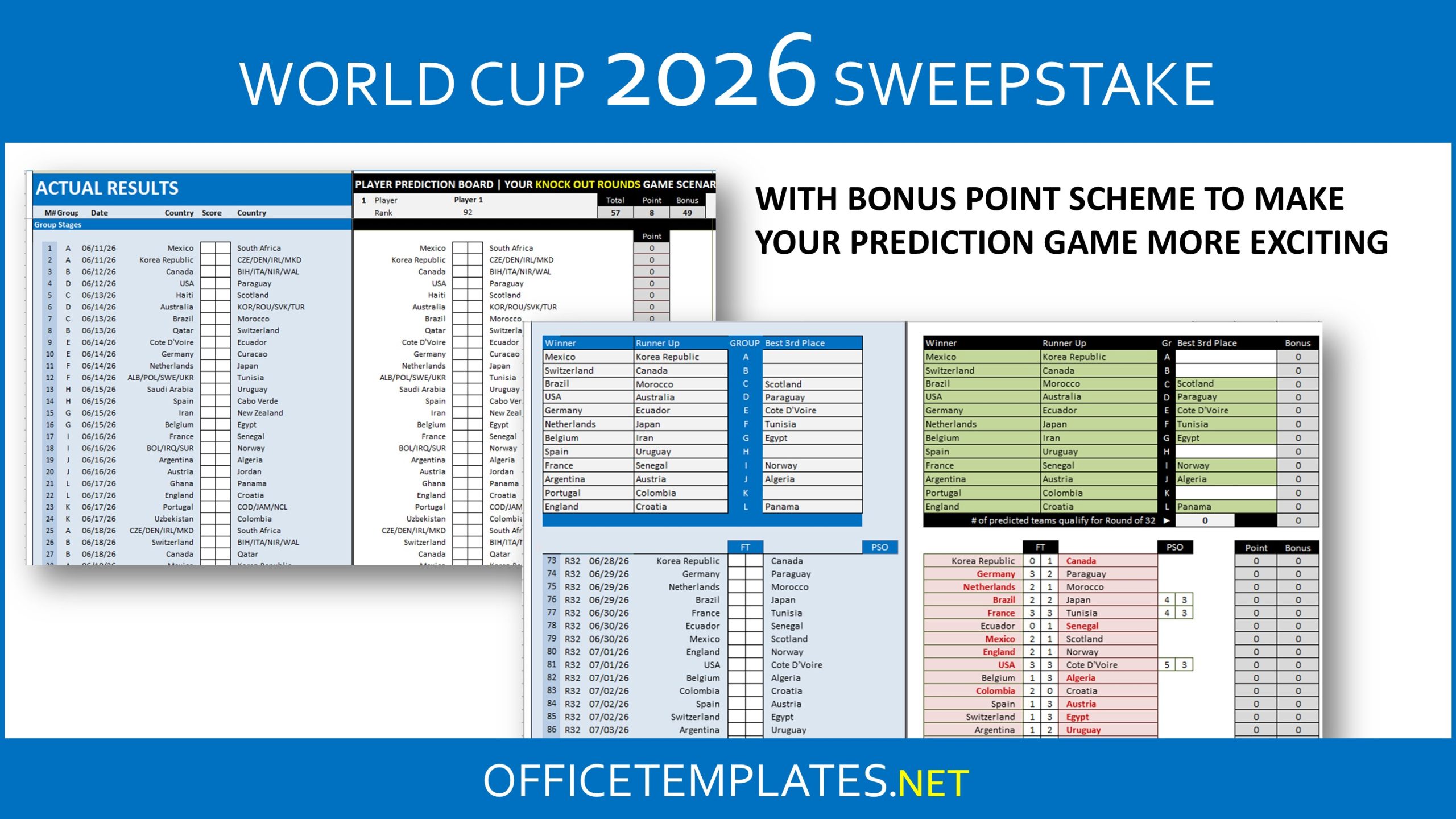
Over the past two decades, this prediction template has continued to evolve. Earlier versions focused mainly on simple score predictions, where players guessed match results based on actual matches. The latest edition introduces more flexible game settings, giving organizers several options for how the competition can be played. You might see that in the World Cup 2022 or Euro 2024 spreadsheets.
For example, players can either predict scores based on the actual matches or based on player’s prediction matches.
Player’s prediction matches will allow organizers to set up the game where participants can submit all their predictions once at the beginning of the tournament. For you who prefer to have actual matches, you might need to collect their predictions round by round.
For you who already used this spreadsheets from decades ago, you can skip information below and download the file at the bottom.
1. Game Setup
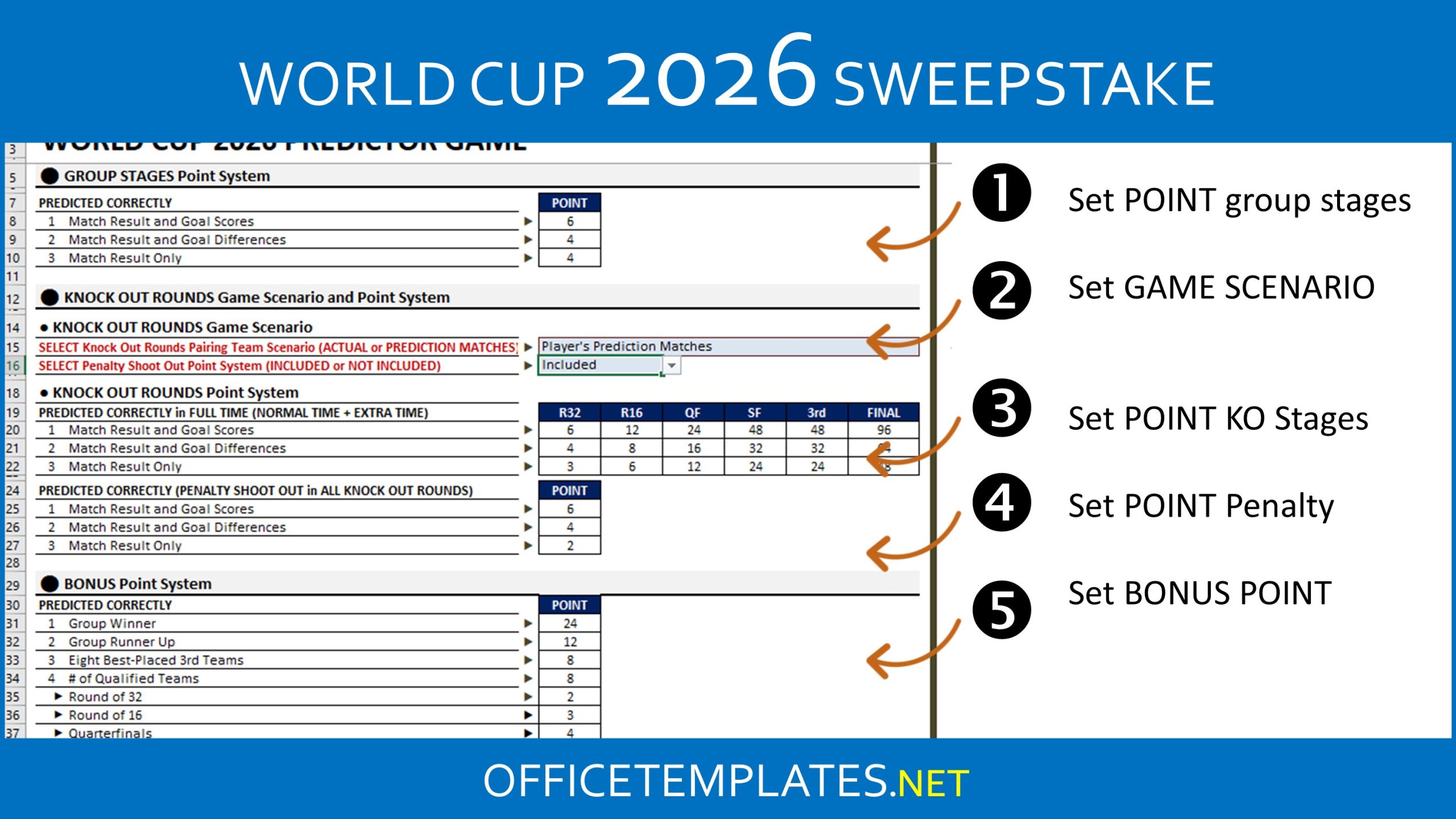
The Game Setup tab is where you configure all the rules for your prediction game before collecting entries from participants.
This is where you need to select your game scenario for Knock Out rounds to be based on Actual Matches or Player’s Prediction Matches.
You can also customize the points system for both group-stage and knockout matches. Up to three different scoring levels can be applied, allowing organizers to decide how many points are awarded for correct predictions.
In addition, the template includes a bonus points section. These are points that can be earned based on particular criteria to compensate incorrect match predictions. These can include correctly predicting the number of teams that qualify from groups or selecting the eventual champion.
You may find differences in Bonus Point section in this spreadsheet compared with previous World Cup and Euro Cup spreadsheets.
2. Participant Table
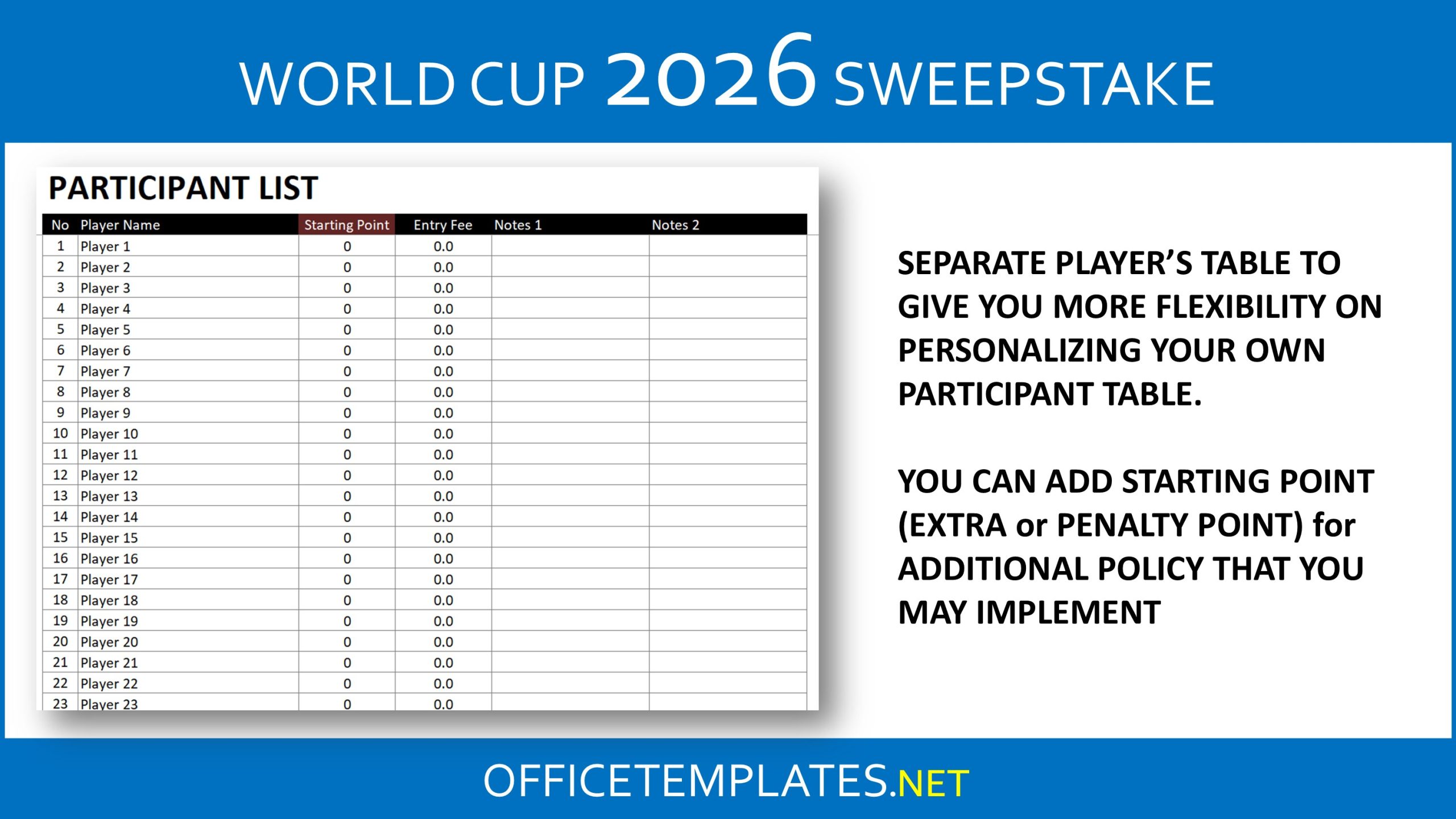
The Participant Table tab is used to enter the names of all players taking part in this game.
Each participant must have a unique name. If two entries share the same name, Excel formulas may generate errors, so it’s recommended to add numbers or codes to differentiate them.
Having this table separated provides greater flexibility if you want to add extra columns containing additional information about each player. The organizer can also assign starting points, such as bonus points or penalties, depending on the rules of the competition.
3. Team Name
The Team Name tab allows users to modify the language of country names within the spreadsheet.
If you prefer to display team names in another language, simply replace the entries in the Country Name table with your preferred translation. Only team names can be edited here; other titles and headings can be changed directly in the worksheet where they appear.
This tab also includes a FIFA Team Rank and Fair Play points table. As you know, fair play points will be used as one of tie-breaker regulation. You can update it by yourself if particular teams have to go through this tie-breaker. And if they are still tied, you can update FIFA team rank for those teams, which should break the tie.
4. Best Player and Top Scorer Name
Players can earn additional points if their predictions are correct. To prevent calculation errors caused by inconsistent spelling of player names, the spreadsheet includes a dropdown reference table where the organizer enters official player names. So, remember to update the table first.
This feature adds an extra layer of excitement to the game, since participants are not only predicting match results but also forecasting individual awards.
5. Game Board
The Game Board tab is the main area where predictions and actual match results are entered.
All relevant data — including match predictions, bonus points, and tournament results — can be updated and viewed in a single place. There are two models, if you purchased the Paid version, that you can use. Layout are similar. The differences are in how you entry data into this game board. The first model will require you to enter scores while the second model require you to entry qualified KO teams. The second model should help you manage your game quickly either in Excel or Google Spreadsheet. As you know, due to increasing number of matches and complicated tie-breaker regulation, you will need higher specification of computer to run game for 100 players.
6. Scoreboard
The Scoreboard tab records the points earned by every participant across all 104 matches.
Players are listed according to their entry order, and their points are updated automatically as results are entered into the Game Board. Do not type player names here. It will follow names that you entry in Participant tab.
7. Prediction Summary Board
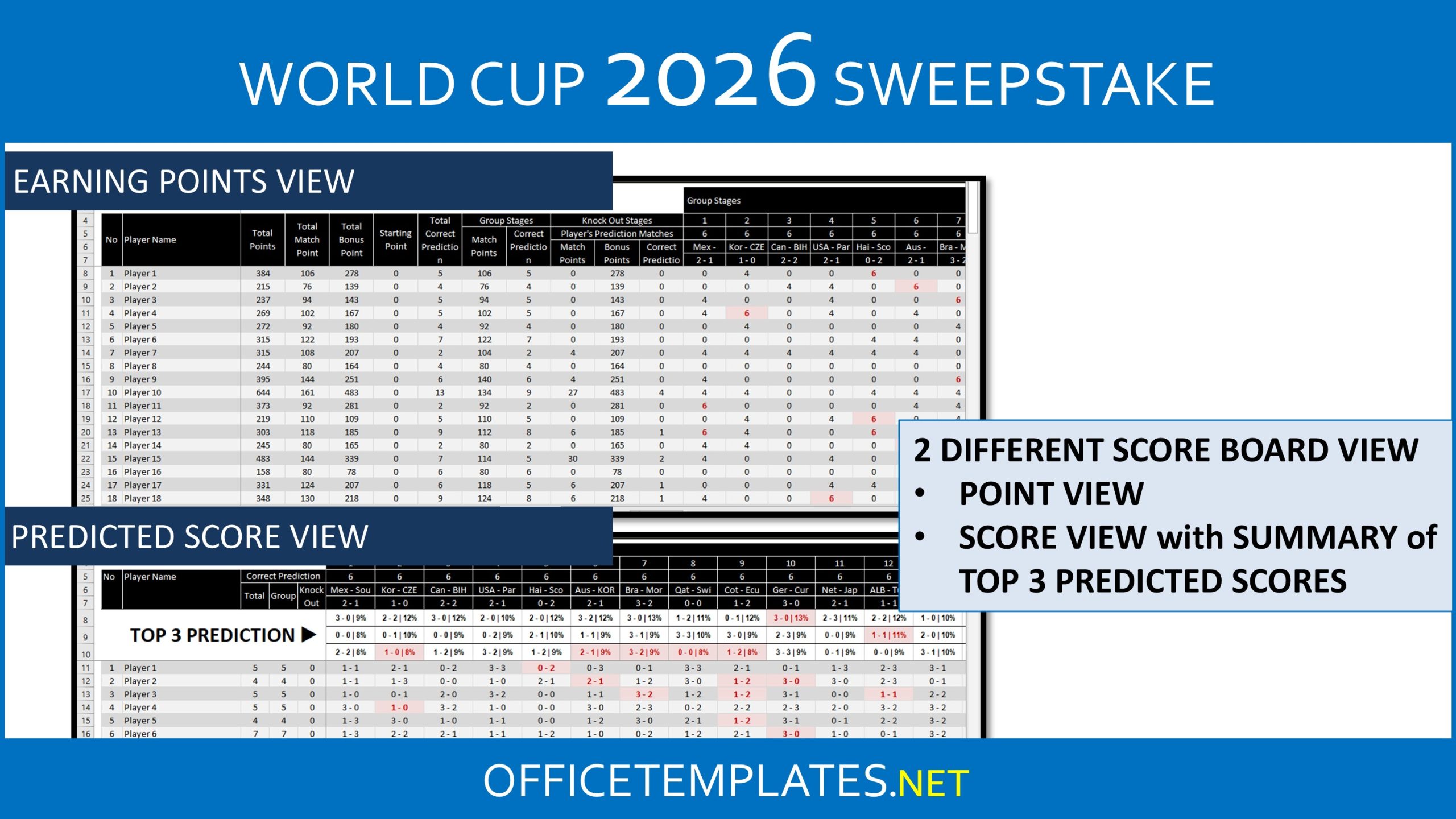
The Prediction Summary Board tab provides an overview of predictions submitted by all players.
In this section, you can see every score prediction across the tournament. It also includes a table showing the three most popular predicted scores.
This feature makes it easy to spot trends and discover which predictions are most common among participants.
8. Game Leaderboard
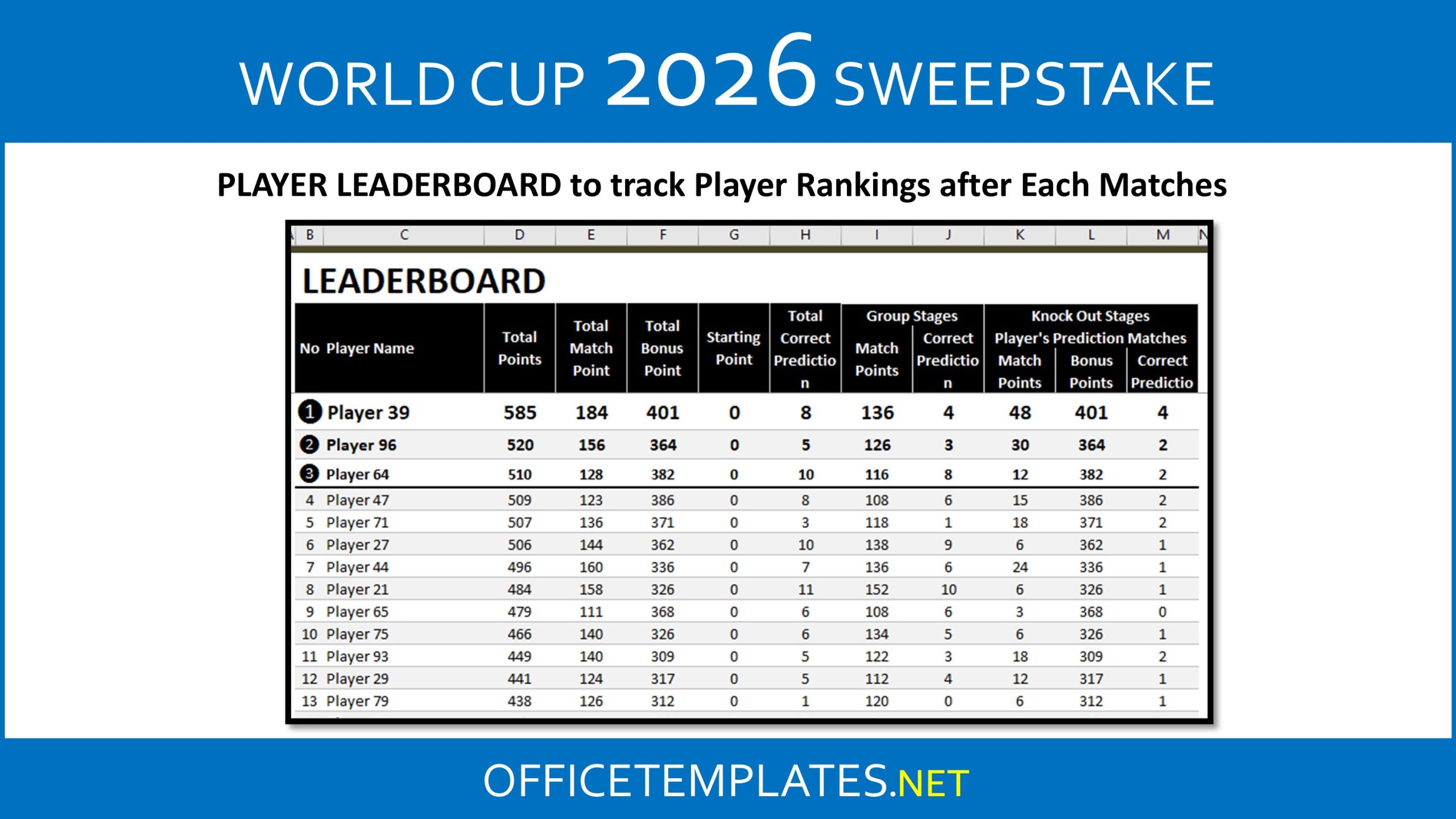
The Game Leaderboard tab is the tab where you can track your player’s standing during the tournament.
Participants are ranked based on :
- Highest total points (match points plus bonus points)
- Highest number of correct predictions
- Highest total match points
- Entry order from the Player Scoreboard tab
Free and Premium Versions
A free version of the FIFA World Cup 2026 Predictor Game and Office Pool spreadsheet can accommodate up to 10 players, although some features are limited. All worksheets in the free edition are protected.
The premium version removes these limitations and allows the game to support up to 100 participants, along with access to all advanced features. A Google Sheets version is also available for users who prefer cloud-based spreadsheets.
The template requires at least Microsoft Excel 2007 for Windows or Microsoft Excel 2008 for Mac to run properly.
Enjoy the World Cup Prediction Game
Hosting a World Cup Office Pool game while watching the tournament is one of the most enjoyable ways to experience the tournament with others. Predicting match results, competing for points, and watching standings change after every game adds another layer of excitement to the competition.
So gather your friends, start your office pool, and see who truly has the best football predictions during the FIFA World Cup 2026. ⚽
 World Cup 2026 Predictor Game | Office Pool (3.5 MiB, 105 hits)


